Quick Links
- What Should RevOps Leaders Automate?
- What Should RevOps Leaders Be Careful About Automating?
- How Do You Decide What to Automate?
- What Does Responsible AI Automation Look Like in RevOps?
- A Simple RevOps Automation Map
- The Goal is Better Revenue Work and not More Automation
- Explore AI-Powered Revenue Workflows
What RevOps Leaders Should Automate and What They Shouldn’t

AI can now update CRM records, flag pipeline risks, trigger workflows, and move information across systems in seconds. But just because a task can be automated doesn’t mean it should be.
For RevOps leaders, the challenge is knowing where automation adds value and where human judgment still matters. Repetitive, rules-based tasks are often good candidates for automation, while decisions involving pricing, customer relationships, or business risk need the right level of oversight.
RevenueIQ by Bolt applies this principle to revenue execution. It brings AI agents and defined workflows into the sales process to help sellers assemble deal context, structure pricing, build quotes, and update CRM records, all while keeping sellers in control of important decisions.
So, how should RevOps teams decide what to automate? This guide explores which tasks to automate, where to keep humans involved, and how to build revenue workflows that balance efficiency with accountability.
What Should RevOps Leaders Automate?
The best automation opportunities in RevOps usually start with work that happens frequently, follows a predictable process, and takes people away from higher-value work. Data management is a good example. When teams spend hours entering, moving, cleaning, and checking information across systems, automation can take much of that work off their plate.
1. Data Collection and Updating
Revenue teams work across CRM platforms, sales tools, marketing systems, and customer success platforms. Keeping information accurate across these systems can take significant manual effort.
Automation can handle routine tasks such as updating CRM records, capturing activity data, transferring information between systems, enriching account records, and flagging missing or inconsistent data.
For complex deals, sellers also need relevant account details, deal history, and pricing information to decide what to do next. RevenueIQ brings deal context together within the existing revenue process, helping sellers spend less time searching across systems and more time moving deals forward.
2. Routine Revenue Workflows
Many revenue processes follow predictable steps. Lead assignments, follow-up reminders, internal task creation, and routine CRM updates are good candidates for automation because they follow defined rules and require little repeated decision-making.
More complex deal execution can also benefit from automation, particularly when sellers need to coordinate information and actions across multiple steps.
RevenueIQ combines AI agents with defined workflows to help sellers assemble deal context, structure pricing, build quotes, and update CRM records. AI handles the reasoning required for a task, while workflows manage repeatable steps. Sellers remain in control of decisions that need their review.
3. Monitoring and Exception Detection
Automation can also help teams identify issues that need attention. AI can surface stalled opportunities, unusual pipeline changes, missing data, changes in account engagement, and missed service-level agreements (SLAs).
However, identifying a signal is not the same as understanding its cause. An opportunity that has been inactive for several days may be at risk, or there may be a valid reason for the delay.
Automate the monitoring where possible, but give the team enough context to assess the situation before deciding what to do next.
4. Reporting and Revenue Visibility
Preparing pipeline summaries, consolidating data, tracking KPIs, and compiling recurring reports can consume hours of a RevOps team's time. Automating these activities helps revenue leaders access relevant information without relying on manual reporting.
AI can also summarize changes and highlight metrics that need attention. But data alone rarely explains the full picture. Revenue leaders still need to interpret the findings, understand the underlying business context, and decide what action to take.
What Should RevOps Leaders Be Careful About Automating?
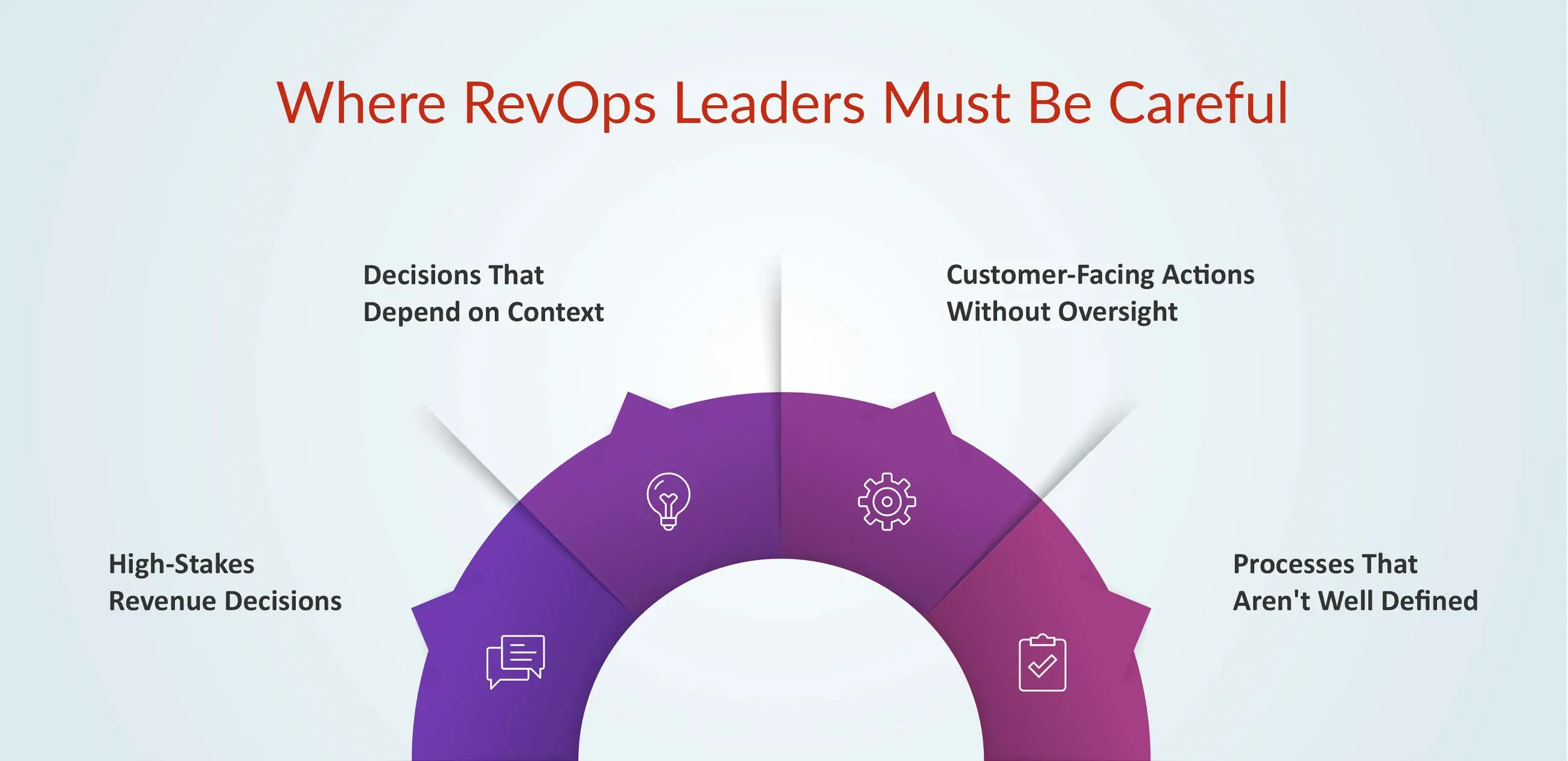
Not every revenue process should run on autopilot. The more a task affects customers, revenue, people, or strategic decisions, the more important it becomes to have the right level of human oversight.
This is particularly important when AI operates across revenue workflows. AI may need to interpret deal information, recommend a next step, or prepare an action, but that doesn't mean every decision should be made independently.
RevenueIQ is designed around a distinction between AI reasoning, defined workflows, and seller control. AI agents help with the work required to move deals forward, workflows handle repeatable execution, and sellers stay involved in decisions that matter.
1. High-Stakes Revenue Decisions
Some decisions have a direct impact on revenue or the wider business. These include forecast commitments, pricing exceptions, discount decisions, territory changes, compensation decisions, and strategic account prioritization.
AI can bring relevant data together and highlight patterns that may otherwise be missed. But these decisions often involve business priorities, risk, and trade-offs that require human accountability. Use AI to support the decision, not to remove the decision-maker from it.
For example, AI can help assemble the information needed to prepare a quote, but pricing exceptions and commercial approvals should follow the organization's defined rules and approval process.
2. Decisions That Depend on Context
Some revenue decisions cannot be reduced to a fixed set of rules. Is a strategic opportunity genuinely at risk? Does a particular account need executive attention? How much confidence should a leader place in a forecast? These questions depend on information that may not be fully captured in a system.
AI can help bring the available context together and highlight relevant signals, but it should not silently make context-dependent decisions. The more context a decision requires, the more important human judgment becomes.
3. Customer-Facing Actions Without Oversight
Automation can be useful for routine customer interactions, but greater care is needed when an action could affect the customer relationship. This includes sensitive communications, changes to commercial terms, complex customer situations, or automatically escalating or de-escalating an account.
In these situations, AI can prepare a response, recommend an action, or route the issue to the right person. A human review or approval step can then ensure the action makes sense before it reaches the customer.
4. Processes That Aren’t Well Defined
There is little value in automating a process that the team has not clearly understood in the first place. If a workflow is inconsistent, poorly documented, or constantly changing, automation can simply make the existing problems happen faster.
Before automating a workflow, make sure you understand the workflow. Define the process, clarify ownership, and establish the expected outcome first. Then determine which parts are suitable for automation and which require human involvement.
How Do You Decide What to Automate?
The right automation opportunity is not simply the task that AI can perform. RevOps leaders also need to consider how predictable the task is, what happens if something goes wrong, and how much human judgment is involved.
A simple four-question framework can help determine where automation makes sense:
| Question | If Yes | If No |
|---|---|---|
| Is the task repetitive? | Consider automation | Keep it human-led where judgement is required |
| Are the rules clear? | Automate within defined rules. | Define the process first |
| Is the impact of an error manageable? | Automate with appropriate controls | Add human review or approval |
| Does it require business judgment? | Use AI to support the decision | If not, consider whether the task can be automated more fully. |
This framework helps separate tasks that can be automated from decisions that benefit from AI assistance and human oversight. A repetitive task with clear rules may be suitable for automation. A task that requires interpretation may benefit from AI but still need a person involved. And when the consequences of an error are significant, review or approval becomes more important.
For revenue teams, this distinction is especially useful in complex deal execution, where gathering information and completing repeatable steps can be automated while commercial decisions remain subject to appropriate controls.
What Does Responsible AI Automation Look Like in RevOps?
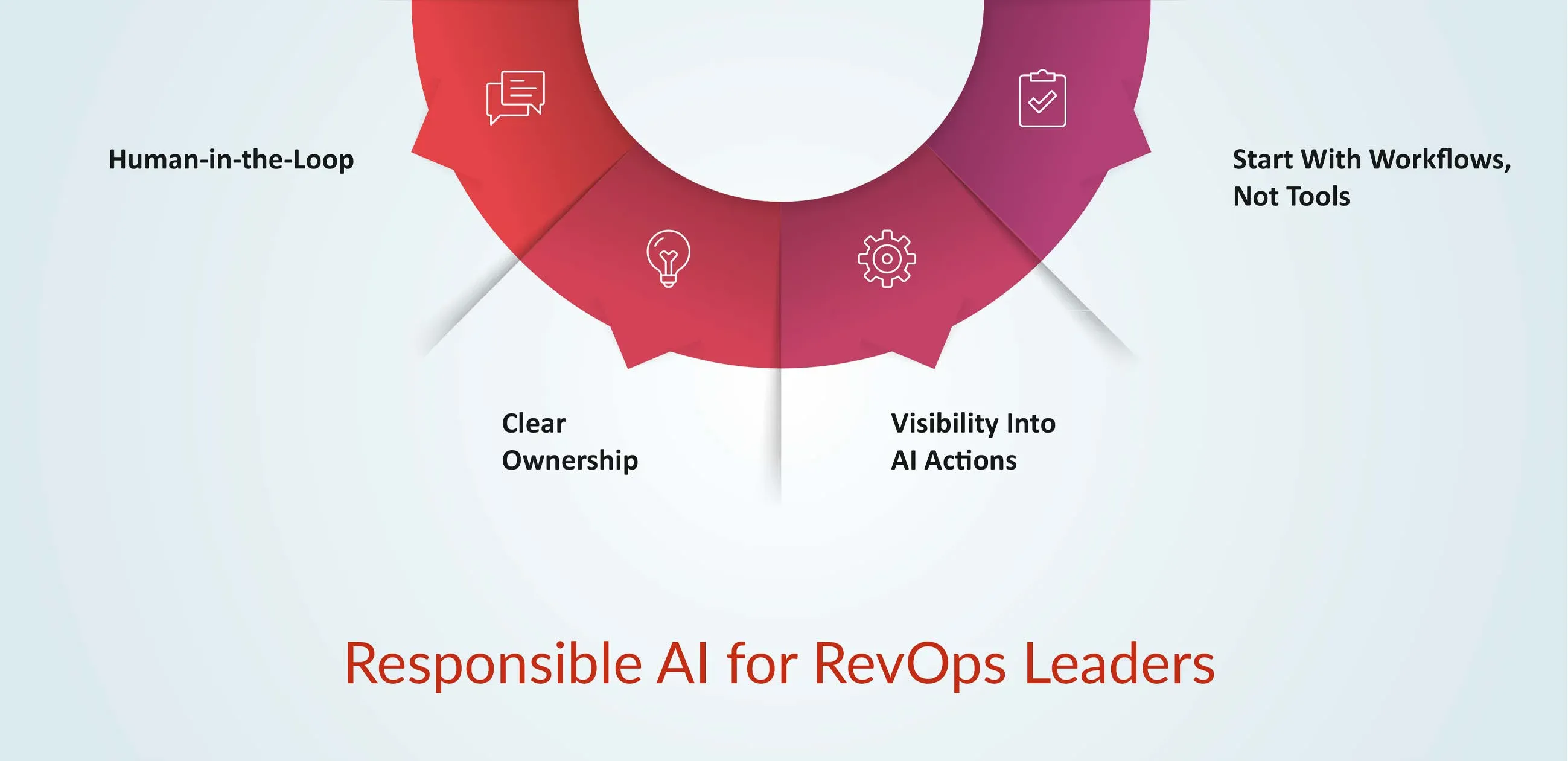
Good AI automation is not about removing people from every workflow. It is about knowing where AI can act independently, where it should make a recommendation, and where a person needs to review or approve the outcome.
These principles become especially important when AI moves beyond answering questions and starts participating in revenue execution. RevenueIQ brings AI agents and defined workflows into the process, with sellers remaining in control of the decisions that matter.
Human-in-the-Loop
Not every automated action needs human approval. But when a decision has a significant impact on revenue, customers, or business operations, a human should have the opportunity to review it.
For example, AI can flag a high-risk opportunity, recommend an action, or prepare a customer response. The appropriate team member can then review the information and decide whether to act. The goal is to put human oversight where it adds value, rather than adding approval steps to every routine task.
Clear Ownership
Every automated workflow should have someone responsible for how it works and what happens when it does not. That means defining:
- An owner responsible for the workflow
- Clear inputs that determine when it runs
- Expected outputs or actions
- Escalation rules for exceptions
- A way to review outcomes and improve the workflow over time
Without clear ownership, automation can quickly become a process that runs in the background without anyone knowing whether it is still working as intended.
Visibility Into AI Actions
RevOps teams also need to understand what an AI-powered workflow is doing. They should be able to answer basic questions such as:
- What triggered the action?
- What information was used?
- What did the AI recommend or do?
- When should a person step in?
This visibility makes it easier to catch errors, understand unexpected outcomes, and improve workflows as business needs change.
Start With Workflows, Not Tools
One of the easiest mistakes is to start with the technology: “Where can we use AI?”
A better starting point is the work itself: “Where does work slow down, repeat unnecessarily, or require teams to move information manually?”
Once those friction points are clear, RevOps leaders can decide where automation, AI assistance, or human judgment fits best. The technology should support the workflow—not define it.
A Simple RevOps Automation Map
The principles above can be applied to common RevOps activities. The key is not whether AI is involved, but what role it should play in the workflow.
| RevOps Activity | Automation Role | Human Role |
|---|---|---|
| Data entry | Automate | Review exceptions |
| Lead routing | Automate | Define routing logic |
| Pipeline monitoring | Automate | Investigate risks |
| Forecast preparation | Automate + AI | Make forecast decisions |
| Opportunity prioritization | AI-assisted | Apply business context |
| Pricing decisions | AI-supported | Approve |
| Strategic account decisions | AI-assisted | Decide |
| Customer communication | Automate selectively | Review sensitive cases |
The pattern is simple: automate repetitive execution, use AI to surface information and recommendations, and keep people responsible for decisions that require context or accountability.
RevenueIQ follows this principle within revenue execution, combining AI agents with defined workflows to help sellers handle complex deal tasks while maintaining control over important decisions.
The Goal is Better Revenue Work and not More Automation
The value of AI in RevOps isn't measured by how many tasks a team can automate. It's measured by how much manual work it removes, how clearly it surfaces relevant information, and how effectively it helps people move revenue forward.
That requires a clear division of responsibilities: automation handles repeatable execution, AI helps teams work with complex information, and people remain accountable for decisions that require judgment.
RevenueIQ by Bolt brings this approach into revenue execution. It combines AI agents and defined workflows to help sellers assemble deal context, structure pricing, build quotes, and update CRM records within the tech stack they already use.
Instead of adding another system for reps to maintain, RevenueIQ helps connect the information and actions involved in moving a deal from the first conversation to a signed contract, while keeping sellers in control of the decisions that matter.
Explore AI-Powered Revenue Workflows
See how RevenueIQ helps sales teams handle complex deal execution with AI agents, defined workflows, and a governed approach to automation.